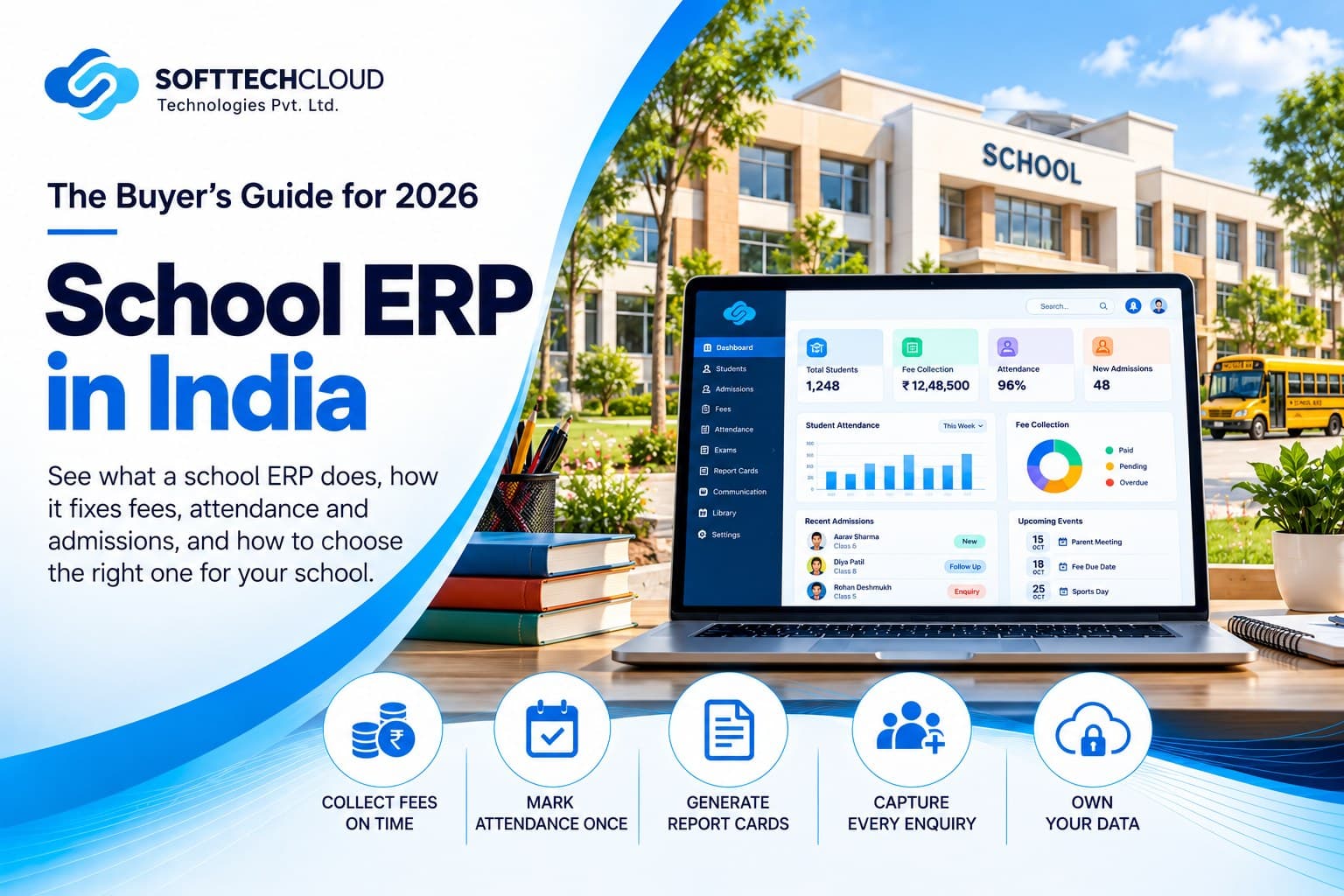
School ERP in India: What It Does, What to Look For and How to Choose in 2026
A school ERP runs fees, attendance, exams, admissions and parent communication from one student record. Here is how it fixes the daily scramble, what to look for, and how to choose between ready-made and custom.
A school ERP is software that runs fees, attendance, exams, admissions and parent communication from one student record, so your staff enter data once and every report, receipt and parent update comes from the same place. It is the fix for the daily scramble most schools know well, and the smart way to buy one starts with a question demos rarely cover: who controls your students' data.
If you run or manage a school, you probably recognise the pattern. The accountant chases fee dues from three registers at month end. A class teacher marks attendance on paper and the office types it again in the afternoon. Marks are re-entered into report card formats during exam week, and one typo means a reprint. An admission enquiry that came in on Saturday night is still unanswered on Tuesday. Parents call the office to ask for a receipt or a fee date, and the principal who wants one number, such as today's attendance or this month's collection, waits until someone finishes adding it up.
A good school ERP removes that double entry. One student record feeds fees, attendance, report cards and parent updates, and the principal sees live numbers without asking anyone. Because that record holds children's data, choose a system where you own the data, can export it any time, and record parents' consent properly. Fixing scattered data is as much a data job as a software job, which connects to our guide on why AI projects fail without clean data and our data engineering work.
This guide is written for school owners, trustees, principals and administrators, not for IT teams. It covers what a school ERP does, how it fixes each daily problem, what to look for, how to choose between ready-made and custom, and 8 questions to ask any vendor, including us.
Quick Stat: The Ministry of Education's UDISE+ 2025-26 report counts 14,66,682 schools in India, including 3,41,689 private unaided recognised schools, with about 24.72 crore students and 1.03 crore teachers. Whatever software a school picks will hold records of children, which is why data ownership belongs in the buying decision from day one.
1. What a School ERP Actually Does
An ERP (enterprise resource planning system) joins the school's daily jobs into one system, with one student record behind all of them.
| Job | What usually goes wrong | What the ERP should handle |
|---|---|---|
| Admissions | Enquiries from ads, walk-ins and calls get lost, nobody follows up | One enquiry pipeline, counsellor assignment, follow-up reminders, enquiry to enrolment tracking (an admission CRM) |
| Fees | Manual receipts, missed reminders, dues known only at month end | Fee structures, online payment, auto receipts, reminders, defaulter list, reconciliation with accounts |
| Attendance | Paper registers, late entry, parents informed days later | Mark once, alert parents the same day, reports without retyping |
| Exams and report cards | Marks re-typed into report card formats | Enter marks once, generate report cards in your board's format |
| Communication | Notices through staff WhatsApp numbers | Official channel for notices, circulars and parent queries, with a record |
| Staff and operations | Leave, payroll, transport and inventory in separate files | Modules you switch on only if you need them |
| Reports and compliance | Data rebuilt by hand for UDISE+ and board forms | Export of student and staff records in the formats authorities ask for |
2. Before and After: How an ERP Fixes the Daily Scramble
| Today | With a school ERP |
|---|---|
| The accountant chases dues from three registers at month end | Fee dues, receipts and defaulters in one live view, with reminders going out automatically |
| The teacher marks attendance on paper and the office retypes it | Marked once on a phone, parents alerted the same day |
| Marks re-entered into report cards, one typo means a reprint | Marks entered once, report cards generated in your board's format |
| A Saturday-night admission enquiry is unanswered until Tuesday | Every enquiry captured, assigned to a counsellor, with follow-up reminders |
| Parents phone the office for receipts and fee dates | Parents get receipts, dates and notices in an official app or message |
| The principal waits till evening for a number | A dashboard shows attendance, collection and pending dues live |
3. Features to Look For in Any School ERP
- One student record that every module reads from, so a change in one place appears everywhere.
- Fee management: structures by class, online payment, automatic receipts, reminders and a defaulter view. If reminders go out on WhatsApp, the business messaging rules matter, and we explain them in our WhatsApp Business API guide.
- Attendance with same-day parent alerts.
- Exam entry and report cards in your board's format.
- Admission CRM with enquiry capture, counsellor assignment and follow-up reminders. The pipeline logic is the same one we describe in our real estate CRM guide, applied to enquiries and counsellors instead of buyers and sales executives.
- Parent and teacher apps or portals. A simple, fast mobile app with clear UI/UX design gets used. A cluttered one does not.
- Role-based access and an audit log, so people see only what they need and changes are traceable.
- Data export in an open format (CSV or Excel), at any time, by you.
- Modules you can add later: transport, library, hostel, payroll, inventory.
Not every school needs every module. A single-branch school usually gets more value from fees, attendance, exams and communication working well than from twenty modules used badly.
4. What a SoftTech Cloud School ERP Can Include
We build the ERP around your school instead of forcing you into a fixed template. Most schools start with a core and add modules as staff adopt it.
- Core: one student record, admissions CRM, fee management, attendance, exams and report cards, and role-based access for management, teachers, accounts and parents.
- A parent and teacher app, so communication stays on an official channel.
- Fee reminders and receipts over WhatsApp or SMS, with online payment, depending on your scope.
- Optional modules: transport, library, hostel, payroll, inventory, and biometric attendance integration.
- An AI assistant for admission and parent queries, limited to information you approve.
- Management dashboards and exports for UDISE+ and board forms.
- Custom features: if your school needs something specific, such as a particular fee rule or report format, we build it into the scope.
- Your data stays yours, with export in an open format at any time.
We scope it in writing first, so you know what is included before work starts. Student and parent portals are built by our website development team as part of the same project. See our education page and portfolio, or talk to our team.
5. Who It Is For
- Single-branch schools that want fees, attendance and report cards sorted.
- Trusts and groups with several campuses that need one view across them.
- Coaching institutes and colleges with admission-heavy and fee-heavy operations.
- Schools already using some software that want it connected instead of replaced.
6. Ready-Made, Custom-Built or a Source-Code Package?
| Question | Ready-made ERP fits when | Custom-built ERP fits when | Resold source-code package |
|---|---|---|---|
| Your process | Standard fees, exams and attendance | Unusual fee structures, several campuses, your own workflows | Fits only if you change your process to match |
| Speed to start | Fast | Slower, scoped first | Fast to install, slow to adapt |
| Support and updates | Vendor roadmap, subscription | Written scope and support agreement | Often none, you maintain it |
| Security review | Vendor's responsibility, ask for proof | Built and reviewed for you | Unknown, may be identical across many schools |
| Data control | Vendor hosting | You decide hosting and access | Depends on who hosts it |
You will see ready-made source-code packages advertised online for very low one-time prices. They can suit a team that will maintain the code itself. For a school without that team, the questions are who patches security issues, who answers when it breaks on fee day, and who is accountable when a parent's data leaks. Hosting and upkeep also cost money over the years, which we break down in our cloud cost guide, and reliable updates need proper DevOps and cloud hosting.
A common middle path is a small custom core covering admissions, fees, attendance and parent communication, with exams, transport and other modules added as staff adopt it.
7. Where AI Genuinely Helps (and Where It Does Not)
AI is useful in narrow, repetitive jobs: answering admission questions at night, replying to common parent queries such as fee dates and timings, drafting reminders, and summarising a student's attendance trend for a class teacher. An AI chatbot handles the first kind well when it is limited to approved school information and hands over to a human.
Keep AI away from decisions about a child (grading, discipline, placement), and do not paste student records into public AI tools. Start with one narrow task and measure it, the approach we outline in our guide to AI automation for business growth.
8. Data Safety and DPDP, in Short
Student records are children's data, and India's Digital Personal Data Protection Act treats anyone under 18 as a child. Four practical points:
- Record parental consent in the student record and keep it verifiable.
- The school, as Data Fiduciary, stays responsible even when a vendor's software does the processing (Section 8), so get ownership, export, role-based access and breach notification in writing from the vendor.
- If you store APAAR IDs, honour the opt-out the Supreme Court directed on 20 July 2026.
- Most obligations apply from 13 May 2027, so 2026 is the time to set this up. Our cyber security team works on these safeguards, and our DPDP compliance checklist goes deeper.
This is general information, not legal advice. Confirm your own obligations with a qualified adviser.
9. Eight Questions to Ask Any Vendor, Including Us
- Who owns the student data, and is that written in the contract?
- Can we export everything (students, fees, marks, attendance) in an open format, any time, at no extra charge?
- Which of our daily jobs does it cover on day one, and what is added later?
- Does it work with the software we already use?
- How is parental consent recorded, and can a parent withdraw it?
- Who supports us, in what hours, and how fast do they respond?
- What are the exit terms: notice period, handover of data, any lock-in?
- How is the price structured: one-time, per student, or support-based, and what is included?
A vendor who hesitates on questions 1, 2 or 7 is telling you something.
10. The Numbers Worth Tracking
Targets depend on your school, board and fee structure, so set them from your own data and not from a benchmark.
| Measure | What it tells you |
|---|---|
| Staff hours per week on fee follow-up, attendance entry and report cards | How much admin time the ERP actually saves |
| Average days fees are overdue, and the outstanding amount at month end | Whether fee collection is improving |
| Enquiry-to-admission ratio, by source | Whether admissions follow-up works, and which channel (see our performance marketing guide) brings real admissions |
| Corrections needed on receipts, marks or attendance per term | Data quality |
| Parent queries handled on the official channel | Whether staff WhatsApp numbers are out of the loop |
Write down the first three before you start. Check them again after one term. That is the only honest ROI.
11. Mistakes Schools Make
- Buying features before writing down their own process.
- No single owner. Someone senior must own adoption, or staff go back to registers and WhatsApp.
- Forgetting data ownership and export until the day they want to switch.
- Entering dirty data. An ERP makes bad records faster, so clean student data first.
- Giving every staff member full access.
- Launching every module at once.
12. A Practical 90-Day Rollout
- Days 1 to 15: list your ten most repeated daily tasks and the data each needs. Write down fee rules, class structure and who approves what.
- Days 16 to 30: shortlist two or three vendors, run the 8 questions, and ask for a demo on your real workflow, not a feature tour.
- Days 31 to 45: clean student and fee data. Set user roles. Prepare the consent wording.
- Days 46 to 75: pilot one function (usually fees or attendance) with a few classes and real staff, while the old register still runs.
- Days 76 to 90: review against the numbers you noted, then add the next module. Avoid go-live during exams and the admission peak.
13. How to Start With Us
- Free requirements call: tell us your biggest daily headaches.
- We send a written scope with modules and a timeline.
- Pilot one module (usually fees or attendance) with a few classes.
- Add modules as staff adopt it.
Talk to our team to book the call. You decide nothing until you have seen the scope.
14. Final Thoughts: Start With the Daily Pain, Not the Demo
A school ERP is easy to demonstrate and hard to leave. Start with the two or three jobs that cost your staff the most time, keep data ownership and export in writing, and add the rest as staff use the core.
15. Frequently Asked Questions
A school ERP is software that manages admissions, fees, attendance, exams and parent communication from one student record, so staff enter data once and reports come from the same place.
It depends on campuses, modules, integrations, apps and support. We quote after a requirements discussion against a written scope. Talk to our team to start.
Often yes. We look at your accounts, payment, attendance device and messaging tools during scoping and tell you what can be integrated. Online fee payment and receipts can also be included, depending on your scope.
No law requires a specific ERP. Schools must still submit data to UDISE+, follow their board's rules and comply with data protection law.
Yes, to any organisation processing digital personal data. The Act treats everyone under 18 as a child, so most student records need verifiable parental consent. A narrow, conditional exemption covers tracking and behavioural monitoring for educational activities and the safety of enrolled children, but it does not remove the rest of the Act.
Ready-made suits standard processes. Custom suits several campuses, unusual fee rules or specific integrations. Either way, get data ownership and export in writing.
Ready to fix your school's daily scramble? Book your free requirements call and tell us your biggest headaches. We will send a written scope before you decide anything.
IT & Marketing Head
More From The Team
A few related posts, picked from the same beat.